Set-top box style interface
Large on-screen menus and a now/next panel sit over the video, built to be read from a couch with a remote.


Perfect Player IPTV pairs the lightweight Perfect Player app with a ready-to-go subscription: 22,000+ live channels and 120,000+ movies and series, working on the devices you already own. Pick a plan, add it to the app, start watching.
Perfect Player is made by Niklabs Software. Install it from the official listing on your device where it's available — our app guide explains exactly where to look, and which player to use instead where Perfect Player isn't offered.
Open Settings, then Playlist, and enter your M3U URL, XSPF file or Xtream Codes login. Add an EPG link too if your provider has one, so the guide fills in on its own.
Restart the app so it loads the new playlist and guide. Your channels appear in groups with logos, ready to watch.
A quick look at the app itself, not at what you add to it. Full detail is on the features page.
Large on-screen menus and a now/next panel sit over the video, built to be read from a couch with a remote.
Add a playlist by URL or file, or use an Xtream Codes login if your provider gives you one.
Add a guide link once and show times and titles line up with your channels on their own.
We don't make the app. Here's what we do instead.

Every step points at the exact Settings screen in Perfect Player, not a generic “add your provider” explainer.
We say plainly where Perfect Player is official and where you need a different player, instead of listing every device as “supported.”
Stuck on a screen? Send a screenshot to support and we'll point you to the right field, in Perfect Player or in whichever player you're using.
Already have IPTV? Use these guides as they are. If you don't, an optional subscription of ours is available separately, with no obligation to use it.
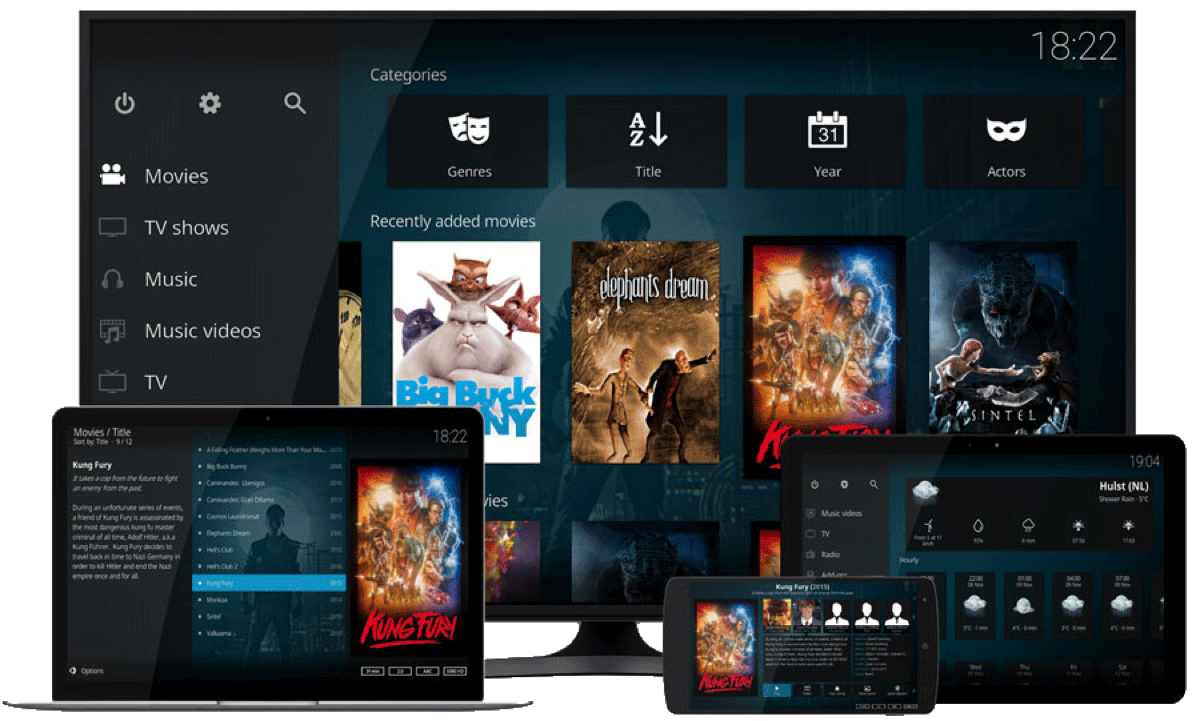
Perfect Player itself is an Android app: it runs on Android phones and tablets and on Android TV or Google TV boxes, with full remote control support. It has no official build for Fire TV, Samsung or LG smart TVs, iPhone, iPad or Apple TV — on those, a third-party M3U or Xtream Codes player from the device's own store does the same job with the same playlist.
Perfect Player shows nothing until you add a playlist. If you don't already have IPTV, this line works with it: 22,000+ channels, 120,000+ movies and series and an EPG link, from $15. It's entirely optional and separate from the app itself.
Every plan includes the full channel list and on-demand library. Confirm your screens on the next step.
Answers about the app, the playlist, the guide, setup and support. If your question is not here, ask us on WhatsApp and a real person will reply.
Still have a question? A person answers on WhatsApp, usually within minutes.
Ask on WhatsAppA player only. It shows nothing until you add a playlist from an IPTV provider — us or anyone else.
No. The app itself doesn't require our subscription. Any M3U, XSPF or Xtream Codes playlist works, including a free one you already have.
No. We're an independent guide covering installation, features and setup. The app is made by Niklabs Software; see our app page for details.
Officially, Android phones and tablets, and Android TV or Google TV. See our devices page for every platform and which player to use on each one.
An optional IPTV subscription with 22,000+ channels and a programme guide, built to drop straight into Perfect Player's settings. It's entirely separate from installing the app.
Start with the app guide, or jump straight to the installation steps for your device.